Resume writing
How to Write a Resume That Gets Read
What a recruiter reads in the first six seconds, and how to put it there. A step-by-step guide to resume format, summary, bullet points, skills and length.

On this page
- What a recruiter looks at first
- Choose a format: reverse-chronological, almost always
- The header: name, title and how to reach you
- Write a summary a recruiter will actually read
- Turn duties into achievements
- Education, projects and the rest
- Skills: short, specific and matched to the job
- Length, layout and file format
- Tailor it for every application
- Mistakes that get a resume skipped
- A final checklist before you send it
- Frequently asked questions
A recruiter going through a pile of applications does not read your resume. Not at first. They skim it — and an often-cited eye-tracking study by the job site Ladders put that first look at around six to seven seconds. In that time they check a handful of things: your name, your current title and employer, the one before that, the dates, and your education.
So a resume has two jobs. It has to make those few things findable at a glance, and it has to make the next thirty seconds — the actual reading — worth someone’s time. This guide covers both, step by step, with examples you can borrow the shape of.
The short answer
Use a reverse-chronological layout. Put your name, a job title and a two-to-three-line summary at the top. Write each job as three to five achievements that start with a verb and end with a result, ideally a number. List 8–15 skills that match the job. Keep it to one page unless you have ten or more years of relevant experience, and send it as a PDF with real, selectable text.
What a recruiter looks at first
Studies of how recruiters read keep finding the same pattern: the eye runs down the left side of the page and across the top, jumping between job titles, company names and dates. Everything else gets read only if those make the cut. That has three practical consequences.
- The top third of page one is the most valuable space you have. Your name, the job you are going for and a short summary of why you fit belong there — not a paragraph about what you are seeking, and not your date of birth.
- Job titles and employers must be easy to spot. Give them their own line, in bold, with the dates lined up the same way every time.
- Your best evidence goes first. Within each role, lead with the achievement most relevant to the job you are applying for. On a first pass, the first bullet is often the only one read.
Choose a format: reverse-chronological, almost always
There are three standard resume formats. The choice matters less than people think, as long as you pick the first one in most cases.
| Format | What it does | Best for | Watch out for |
|---|---|---|---|
| Reverse-chronological | Lists your jobs from the most recent backwards, each with its achievements. | Almost everyone — freshers too, with education and projects in place of long experience. | Gaps show, so explain them in a line rather than hiding them. |
| Functional (skills-based) | Groups achievements under skill headings and plays down the timeline. | Very rarely worth it. | Recruiters often read it as hiding something, and screening software struggles to tie skills to dates. |
| Combination (hybrid) | A short skills summary at the top, then a normal reverse-chronological history. | Career changers, and people returning after a break. | Keep the skills summary short, or it pushes your experience off the first page. |
If you are unsure, use reverse-chronological. It is what recruiters expect, and it is what applicant tracking systems read most reliably — more on that in our ATS-friendly resume tips.
The header: name, title and how to reach you
The header should take four or five lines at most. Include:
- Your full name, larger than anything else on the page.
- A professional title that matches the job you want — “Frontend Developer”, “Accounts Executive”, “Maths Teacher (CBSE)”. Not “Seeking a challenging role”.
- A phone number with the country code, such as +91, especially if you apply to companies outside India.
- A professional email address — ideally some version of your name. An address you made in school can quietly cost you an interview.
- Your city and state. A full postal address is unnecessary; the city is what recruiters filter on.
- One to three links that help your case: LinkedIn, and a GitHub or portfolio for technical and creative roles.
Write a summary a recruiter will actually read
The summary is two or three sentences under your name that answer one question: why should I keep reading? A good one says who you are professionally, what you are best at, and gives one piece of proof.
The classic mistake is an objective that talks only about what you want:
Instead of
Hardworking and passionate individual seeking a challenging position in a reputed organisation where I can utilise my skills for the growth of the company.
Write
Frontend developer with three years of experience building React and TypeScript apps for fintech products. Cut checkout load time by 40% at my current company and led the move of a 60-screen app to a shared component library.
Instead of
Fresher looking for an opportunity to start my career in finance.
Write
Commerce graduate (B.Com, 78%) with a six-month internship in accounts payable at a CA firm. Comfortable with TallyPrime, GST returns and Excel reconciliations; looking for an accounts executive role in Pune.
A fresher’s summary works the same way — the proof is an internship, a project or a result instead of a job.
Write the summary last. It is much easier once the rest of the resume exists, because it is mostly a distillation of your strongest bullet points.
Turn duties into achievements
This is the part that separates a resume that gets interviews from one that does not. Most people describe their job — what they were responsible for. Recruiters want to know what happened because you were there. A reliable pattern for every bullet point is:
Action verb + what you did + the result, with a number if you have one.
Instead of
Responsible for handling clients in the North region.
Write
Managed 45 retail accounts across Delhi NCR and grew repeat orders by 22% in twelve months.
Instead of
Worked on customer complaints.
Write
Resolved an average of 60 customer tickets a day with a 94% satisfaction score, the highest on a team of twelve.
Instead of
Taught Class 9 and 10 students.
Write
Taught mathematics to 120 students across Classes 9 and 10; the board-exam pass rate rose from 81% to 93% over two years.
Instead of
Helped with GST filing.
Write
Prepared monthly GST returns for 18 client businesses with no late-filing penalties in FY 2024–25.
What if you don’t have numbers?
Most people have more than they think. Ask yourself:
- How many? Customers served, students taught, orders processed, people trained, reports produced.
- How much? Budget handled, revenue influenced, stock managed, money saved.
- How fast? Time saved, turnaround cut, deadlines met.
- Compared with what? First of eight, top 10% of the batch, best score on the team.
An honest estimate (“about 200 invoices a month”) is fine. A number you cannot explain in an interview is not.
How many bullets, and how long
- Three to five bullets for your current or most recent role; one to three for older ones.
- One or two lines each. A bullet that runs to three lines is two bullets.
- Start each with a different verb: led, built, reduced, launched, negotiated, trained, automated.
- Past tense for past roles, present tense for the job you are in now.
- Cut filler such as “responsible for”, “worked on”, “helped with” and “duties included”. It adds words and takes away ownership.
Education, projects and the rest
If you have work experience, education goes after it and stays short: degree, institution, year. Add a grade only if it helps you.
If you are a fresher, education goes near the top, with your CGPA or percentage — and your Class 12 and Class 10 results if employers in your field expect them. Then lean on projects, internships and positions of responsibility. They are your experience.
For each project, give a title, one line on what it does, your part in it, the tools you used, and a result or a link. “Built a college attendance app used by 300 students in two departments” is worth more than ten lines of coursework.
A few more sections worth considering:
- Certifications — only the ones relevant to the job. A recognised one (AWS, Google, NPTEL, a professional exam) is worth listing; every short online course you finished is not.
- Achievements — awards, rankings, hackathon wins, scholarships.
- Languages — genuinely useful in India, where speaking Hindi, English and a regional language can matter a great deal in sales, support and field roles.
- Hobbies — only if they say something relevant. “Reading” does not; “run a cooking channel with 4,000 subscribers” might, for a marketing job.
You do not need a “References available on request” line. Everyone assumes they are.
Skills: short, specific and matched to the job
The skills section is where recruiters and screening software look for keywords, so it deserves care. Aim for 8–15 specific, mostly hard skills — tools, methods, software, certifications — chosen from the job description rather than from memory. Leave out generic traits like “hardworking” and “team player”, and show those in your bullet points instead.
There is much more on this, with examples for ten common roles, in which skills actually belong on a resume.
Length, layout and file format
One page or two?
One page for most people with under about ten years of experience, which includes almost every fresher. Two pages when your relevant experience genuinely fills them. Never pad to reach a second page: a strong one-pager beats a thin two-pager every time. An academic CV for research or teaching posts is a different document and can run much longer.
Make it easy on the eye
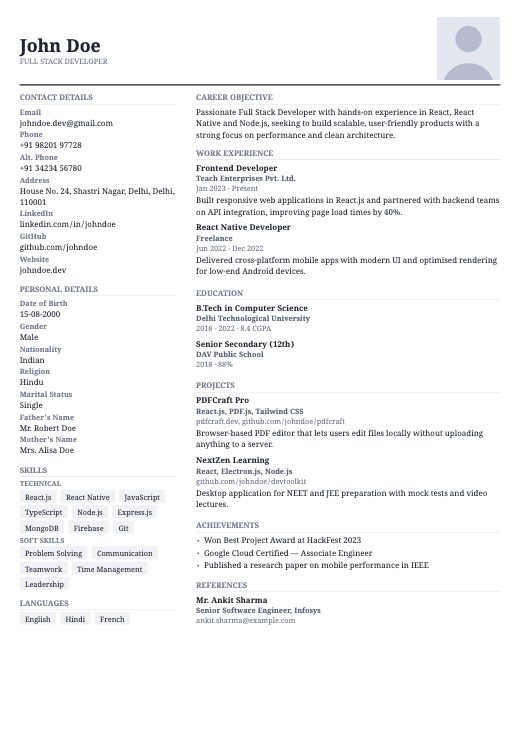
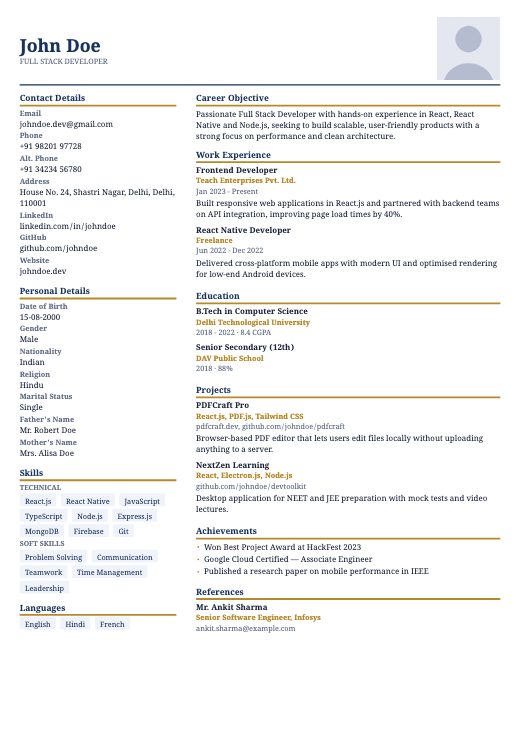
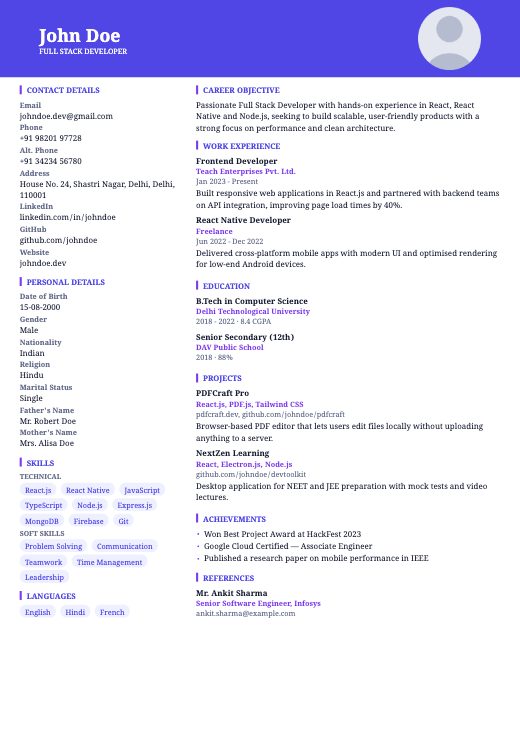
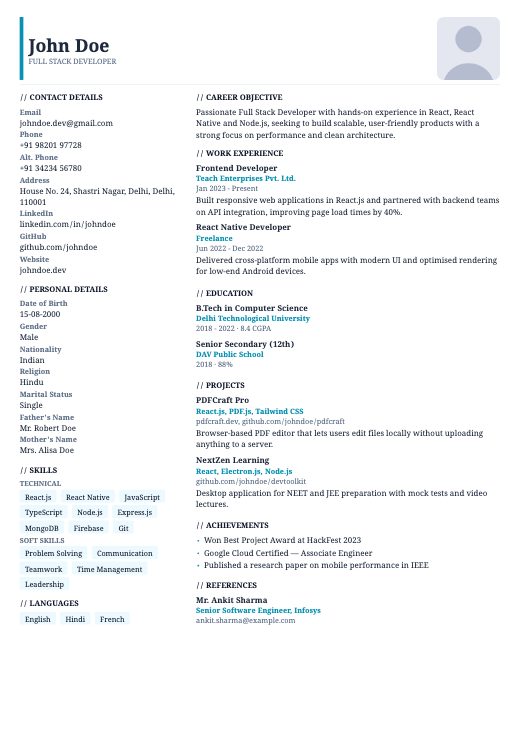
- A clean, readable font at 10–12 pt for body text, with headings slightly larger.
- Consistent formatting: every date in the same style, every job title in the same weight.
- White space. Margins of around 1.5–2 cm, and a little room between sections, make a page feel shorter than it is.
- No skill bars, star ratings or icons standing in for words. They look modern and say nothing.
Send a PDF, with a sensible name
Unless the employer asks for a Word file, send a PDF. It looks the same on every screen, and a PDF made by a resume builder or word processor contains real text that software can read. A scanned or photographed resume does not. Name the file so it can be found again: Firstname-Lastname-Resume.pdf, not resume_final_v3.pdf.
Tailor it for every application
Sending the same resume to fifty jobs feels efficient and usually is not. Ten minutes of tailoring per application is where most of the difference comes from:
- Read the job description and underline the must-have skills, tools and qualifications.
- Check which of them you genuinely have, and make sure each appears on your resume in the same words the employer uses.
- Adjust your title and summary so they describe the job you are applying for.
- Reorder bullet points so the most relevant achievement in each role comes first.
- Cut anything that does not help with this particular job.
Check it against the job before you send it
Paste a job description into the free checker to see which of its terms your resume already covers, and which it is missing.
Mistakes that get a resume skipped
- Typos and grammar mistakes. Run a spell-check, then read the resume aloud — your ear catches what your eye skips.
- Unexplained gaps. One honest line — “Career break: family caregiving, 2022–23” or “Preparing for civil services exams, 2021–22” — is far better than a mystery.
- Dates that don’t add up, or that disagree with your LinkedIn profile.
- Paragraphs instead of bullets. Dense blocks of text get skipped.
- One resume for every job. See above.
- Stretching the truth. Degrees, dates and previous salaries are routinely checked in background verification, and a discovered exaggeration can cost you an offer you have already accepted.
A final checklist before you send it
- Name, job title, phone with country code, professional email and city at the top.
- A two-to-three-line summary: who you are, what you are best at, one proof point.
- Every role has a title, employer and dates in the same format.
- Bullets start with a verb, and most include a result or a number.
- The skills section matches the job description — honestly.
- It fits on one page (two only if your experience genuinely needs it).
- No photo, date of birth or declaration unless the employer asked for them.
- Spell-checked, and read aloud once.
- Saved as a PDF named Firstname-Lastname-Resume.pdf.
If you would rather not start from a blank page, you can describe yourself in a few lines and get a first draft to edit, import the resume you already have, or pick a template and fill it in section by section.
Frequently asked questions
How long should a resume be?
One page for most people with under about ten years of experience, including freshers. Two pages is fine when your relevant experience genuinely fills them. Academic CVs for research and teaching posts are the exception and can be longer.
Should I put a photo on my resume in India?
For most private-sector and multinational jobs, no. A photo says nothing about whether you can do the job, it takes up space, and it can confuse applicant tracking systems. Include one only when the employer or the application form asks for it.
What is the difference between a resume and a CV?
In India the two words are often used interchangeably. Strictly, a resume is a one-to-two-page summary tailored to a job, while a CV is a complete record of your academic and professional history, used mainly for academic and research roles. A biodata is a different document again: in India it usually means a marriage biodata.
Should I write a career objective or a summary?
A summary. An objective describes what you want; a summary describes what you offer, which is what an employer is reading for. Freshers can write a short summary too, using education, internships or projects as the proof.
Should I send my resume as a PDF or a Word file?
A PDF, unless the employer asks for Word. A PDF looks the same on every device, and one made by a resume builder or word processor contains real text that applicant tracking systems can read. Avoid scanned or photographed resumes.
Do I need a declaration and signature at the end of my resume?
Not for private-sector jobs. A declaration takes up space without telling the employer anything. Some government and public-sector applications ask for one; include it only when they do.
Put it into practice
Write a few lines about yourself the way you would to a friend, and get a finished, editable resume to apply this advice to. Free, no sign-up.
Start my resumeWritten by the team that builds CraftCVPro’s resume engine and ATS check. We don’t quote statistics we can’t source, and we update these guides when hiring practice changes. Last reviewed .
Keep reading
All guides →
ATS & screening
ATS-Friendly Resume Tips: How to Get Past the Screening Software
Why some resumes never reach a human, and the formatting choices that cause it.
Read the guide· 9 min

Resume writing
Which Skills Actually Belong on a Resume
How to choose the ones that match the job instead of listing everything you know.
Read the guide· 8 min
Marriage biodata
Marriage Biodata Format: What to Include and How to Lay It Out
The sections an Indian marriage biodata is expected to carry, and how to lay them out.
Read the guide· 10 min